VPN vs. DNS Filtering: Which Tool Better Blocks Malware and Trackers?
Five people, five versions of the same advice: use a VPN, and filter your DNS. Both are worth having, and neither does what most people assume. A VPN is an encrypted tunnel. DNS filtering is a bouncer with a guest list. Knowing which is which tells you what belongs on your router, your laptop and your phone — and what you still have to handle another way. The confusion is understandable because both tools promise a vague version of “security.” One hides traffic. The other refuses known-bad names. They overlap less than the marketing suggests, and they complement each other more than they compete.
A VPN builds an encrypted tunnel between your device and a server run by the provider. Your internet provider sees one encrypted stream to one address. Sites you visit see the VPN server's IP instead of your home IP. That is genuinely useful on hotel and airport Wi-Fi, and it keeps your home address out of site logs. If you work from a coffee shop, a VPN makes the local network far less interesting to anyone sniffing packets.
Notice what is missing: any inspection of content. Traffic inside the tunnel arrives byte for byte. If a link leads to a malware download, the VPN carries it. If a page is stuffed with advertising trackers, they load. A VPN without a built-in filtering feature blocks nothing on its own. It also does not stop a phishing page from collecting your password, because the page still loads and still looks normal.
You are also shifting trust from your internet provider to a company you may know less about. Even without inspecting content, your provider can see which domains you reach and when. A no-logs policy helps, but it is a promise, not a technical guarantee. VPNs are best understood as privacy tools for untrusted networks, not as antivirus or ad blockers.
Every connection starts with a name lookup. Your device asks a resolver where a domain lives and gets an IP address back. DNS filtering sits at that moment: the resolver checks the domain against blocklists of malware command-and-control hosts, phishing pages, ad networks and trackers, and returns nothing on a match. The connection never happens. From the user's side, the page simply fails to load or an ad slot stays empty.
That is the strength and the ceiling. It judges names, not content, so it cannot stop a malicious file hosted on a legitimate domain, and it cannot stop first-party tracking that a site runs on its own domain. It does not encrypt traffic or hide your IP. It also cannot tell whether a newly registered domain is a scam until someone adds it to a blocklist, which is why zero-hour phishing often slips through.
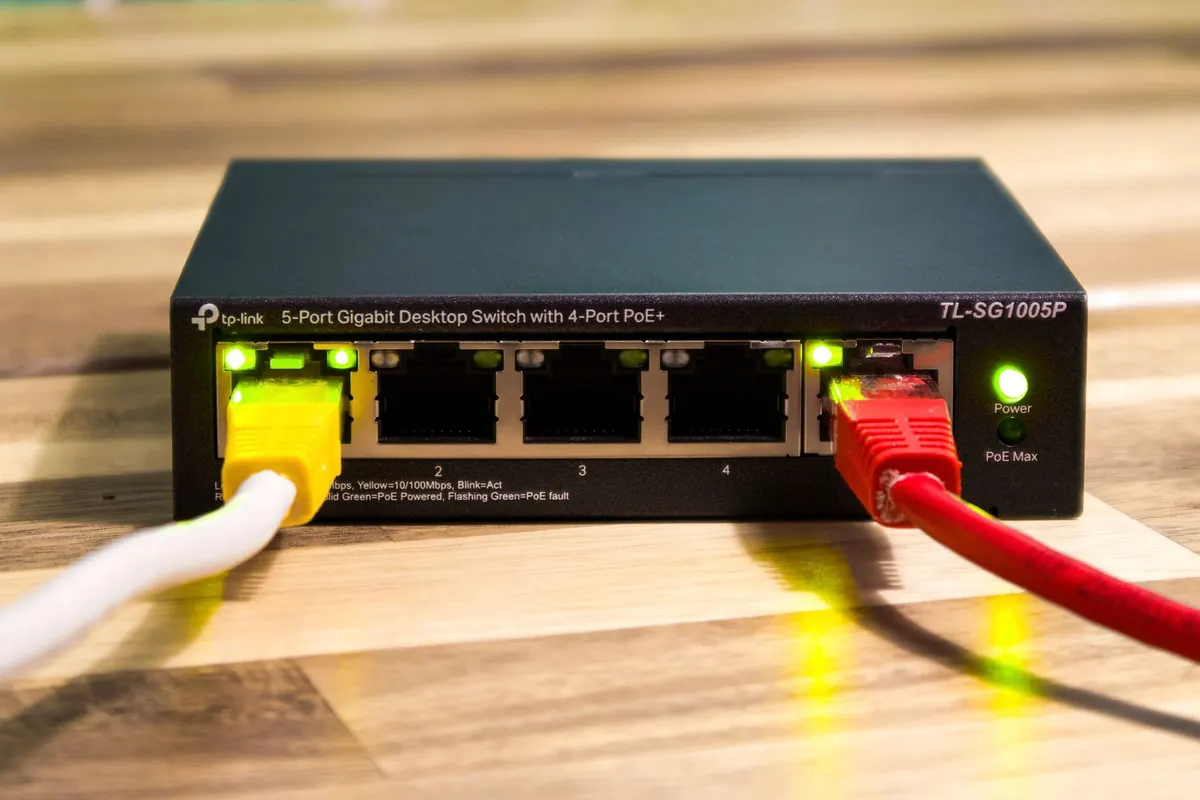
What it covers beautifully is hardware that will never run a VPN client: smart TVs, consoles, thermostats, printers. Point your router at a filtering resolver and they all get baseline protection. That single change can quiet a surprising amount of background telemetry and block obvious malware callbacks across every device in the house.
Both tools move trust around rather than eliminating it. A VPN keeps your internet provider from seeing which sites you visit, but it hands that visibility to the VPN provider. A filtering DNS resolver keeps your ISP from seeing every lookup, but the resolver now sees those lookups instead. If the resolver logs queries and ties them to an IP address, you have traded one observer for another.
DNS filtering is also not a privacy cure. Encrypted DNS protocols such as DNS-over-HTTPS and DNS-over-TLS can hide queries from the local network, but your resolver still sees the names unless you run your own. A VPN can prevent local DNS leaks if it is configured correctly, but a sloppy setup can send lookups outside the tunnel and expose exactly what you were trying to hide.
Encryption hides content from the network. It does not make you anonymous, and it does not decide whether a domain is dangerous.
Then there is the tracking that survives both tools. Cookies, browser fingerprints, logged-in accounts and tracking pixels on first-party domains can follow you even when your IP is masked and known ad domains are blocked. For that layer, you need browser privacy settings, tracker-blocking extensions and, frankly, a willingness to log out once in a while.
Neither a VPN nor DNS filtering is a substitute for the boring basics. Keep your operating system, browser and apps patched. Use a password manager and multi-factor authentication. Install reputable endpoint protection where it makes sense. Treat unexpected attachments, urgent password prompts and “your package is waiting” texts as hostile until proven otherwise.
Backups matter too. Ransomware often succeeds not because a single download was invisible, but because there was no clean copy to restore. If a malicious file does land, a recent offline backup turns a catastrophe into an inconvenience. DNS filtering can block the call home, and a VPN can hide your location, but neither will restore encrypted files.
The strongest setup uses each tool for what it does best. Put DNS filtering at the router so every device gets baseline protection, including the ones you cannot install software on. Use a VPN on laptops and phones when you join untrusted networks, travel, or want to keep your home IP out of site logs. Add browser-level tracker blocking for the first-party and in-page tracking that DNS filtering cannot see.
One practical wrinkle: a VPN may override your router's DNS settings. If you want both, choose a VPN that lets you set a custom DNS resolver or includes its own filtering. Otherwise, your laptop may use the VPN provider's DNS while the smart TV uses the router's filtering resolver. That is not a disaster, but it means protection varies by device. Test after setup with a DNS leak test and a known blocklist domain.
If the question is which tool better blocks malware and trackers, DNS filtering usually wins for trackers and known malicious domains. If the question is which tool protects your traffic on a hostile network, the VPN wins. Neither is a complete security strategy. Use DNS filtering as the wide net, a VPN as the private tunnel, and endpoint hygiene as the thing that catches what slips past both.
Photo: Pascal 📷 / Pexels
Previous Post
Ransomware Attack Checklist: The First 24 Hours for Small Teams
Next Post
10 Router Settings to Change Before Your Next Work-from-Home Day